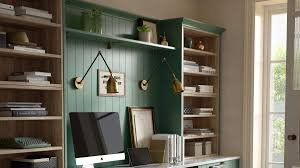
Working from home sounds like a dream until you are hunched over a laptop at the kitchen table, surrounded by yesterday’s coffee cups and a pile of laundry that has been sitting there since Tuesday. For many people, this is the everyday reality of remote work, and it can make focusing on tasks far harder than it needs to be.
The good news is that a productive home office does not require a designer budget or a spare room. With a few smart choices around furniture, storage, and layout, almost any corner of a home can be turned into a space that genuinely supports getting things done.
Choosing the Right Space for Your Home Office
Before buying anything, it helps to settle on a spot. Natural light plays a bigger role than most people expect. A desk positioned near a window can improve mood and energy throughout the day, and where that is not possible, a desk lamp that mimics daylight is a worthwhile substitute.
Noise levels matter too. Anyone sharing a home with family members, housemates, or pets will usually focus better when tucked away from the main living area. Even a dedicated corner of a bedroom can work well once it is set up properly, with a clear boundary between the work zone and the rest of the room.
Why Ergonomic Office Chairs Matter More Than People Expect
One detail that gets overlooked constantly is the chair. It may seem like a minor purchase, but it is arguably the single most important piece of furniture in any home office. Spending eight hours a day in a chair that does not support the body properly is a common cause of back pain, poor posture, and reduced productivity.
This is where ergonomic office chairs earn their reputation. Unlike the rigid, unforgiving seating many people remember from school classrooms, ergonomic chairs are built around how the body actually sits during long stretches of work. They support the lower back, encourage better posture, and reduce the physical strain that builds up over a working day.
When shopping for ergonomic office chairs, look for the following:
● Adjustable seat height
● Built-in lumbar support
● Armrests that can be repositioned
● A backrest that reclines or tilts
Feet should rest flat on the floor, and the screen should sit at eye level. Getting this combination right tends to make a noticeable difference within just a few days of use.
Getting Storage and Lockers Sorted
Clutter is one of the fastest ways to kill focus. One of the simplest wins in any home office setup is having a proper place for everything, rather than letting paperwork and cables pile up around the desk.
Storage does not have to stop at a single desk drawer. Open shelving works well for books, reference materials, and equipment used on a regular basis. For paperwork or supplies that are needed less often, something more enclosed is usually a better fit.
This is where lockers come into their own. Often associated with school corridors or gym changing rooms, lockers have become a surprisingly practical choice for home offices too. A lockable unit is useful for storing confidential work documents securely, particularly for anyone sharing a home with others or working with sensitive client information. Compact, freestanding lockers can slot neatly beside a desk or into an alcove, offering secure storage without demanding much floor space.
A tidy workspace signals to the brain that it is time to focus. The psychology behind this is well established, and it is one of the easier wins in any home office setup.
Setting Up Your Tech Properly
A reliable setup makes a noticeable difference to the working day. A few upgrades tend to deliver the most value:
● A decent monitor. Working from a laptop screen all day strains both the eyes and the neck. An external monitor positioned at the right height solves both problems.
● A wireless keyboard and mouse. These free up desk space and make a setup feel more intentional and less cluttered.
● Cable management. A few cable ties and a small tray underneath the desk can tidy up a tangle of wires in around ten minutes.
● A good headset. Essential for video calls, particularly in a home that tends to get noisy.
Don’t Neglect the Atmosphere
This is where many home office setups stop short. The desk, the ergonomic office chair, and the lockers might all be sorted, but the atmosphere of a room still matters.
Plants genuinely help. Research has shown that greenery in a workspace can reduce stress and improve concentration. A single low-maintenance option, such as a peace lily or a pothos, is enough to make a difference without turning the room into a jungle.
Scent is also worth considering. A candle or diffuser with a clean, focused fragrance, such as eucalyptus or peppermint, can help signal to the brain that it is time to work.
Where possible, it also helps to keep the home office separate from the relaxation space. When a desk sits in the same room as a sofa and television, the brain never fully switches between work mode and rest mode. Even a simple visual divider, or a bookshelf used as a partition, can help create that mental separation.
Building a Routine to Match the Space
A well-designed home office is only as productive as the person sitting in it. Once the space is sorted, building a few consistent habits helps make the most of it.
Starting and finishing at consistent times, getting dressed before sitting down, and taking proper breaks away from the desk are all small rituals. On their own, none of them seem significant, but together they make a real difference to both output and wellbeing by the end of the day.
Final Thoughts: Building the Home Office That Works for You
A dream home office does not need to look like something out of a design magazine. It simply needs to work for the person using it every day. Ergonomic office chairs, secure lockers, good lighting, and a few personal touches can go a long way toward transforming both focus and comfort.
Starting with the chair, sorting the storage, and adding a plant is often enough to notice a real shift in how a workspace feels and functions.