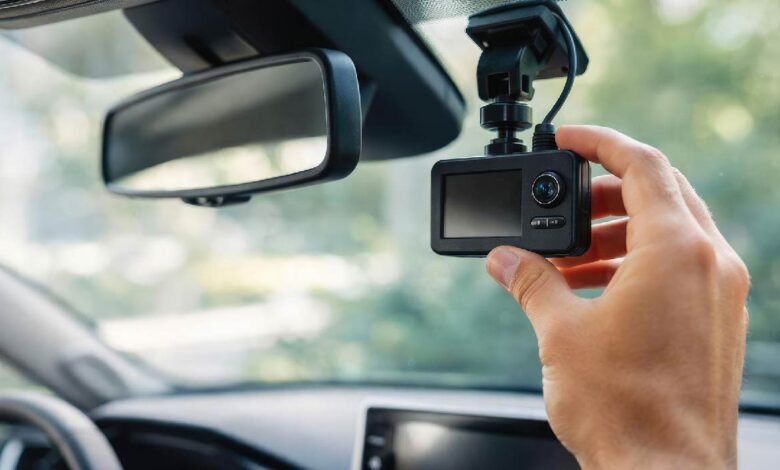
You bought it for peace of mind. For clarity, when the story gets messy. For that quiet confidence that if something happens on the road, you won’t be stuck nervously explaining what you *think* occurred. A dash camera can feel like a tiny witness riding shotgun—steady, impartial, and always paying attention when everyone else is distracted.
But here’s the part many people miss: if you use your vehicle for work, your dash camera costs may be more than just “smart”—they may be partially tax-deductible. Not always. Not automatically. Yet often enough that it’s worth slowing down and learning the rules, because you deserve every legitimate deduction you can claim.
Let’s walk through it like a guide, not a lecture—so you can make decisions that protect both your wallet and your sanity.
When a dash cam can be a legitimate business expense
A deduction usually starts with one question: is the expense “ordinary and necessary” for your work? In plain language, that means it’s common (or at least reasonable) for your type of job and helpful for earning income.
So when is a dash cam a business-related purchase?
– You drive for rideshare or delivery (Uber, Lyft, DoorDash, Instacart, Amazon Flex)
– You’re a realtor, contractor, inspector, home health worker, or traveling salesperson
– You operate a small business using a personal vehicle
– You’re a gig worker who relies on driving as the core of your income
In these cases, a camera can support safety, reduce dispute risk, document incidents, and even deter fraud. And yes—tax rules tend to respect expenses that protect income.
A quick emotional reality check: it’s hard to describe the sinking feeling of being blamed for something you didn’t do. That’s why the expense can feel so *necessary*, not just “nice to have.”
What dash camera costs may be deductible (and how they’re categorized)
Not every dollar gets treated the same. Some costs are straightforward. Others depend on how you use the device.
Common potentially deductible costs include:
– The purchase price of the device
– Mounts, wiring kits, adhesive pads, or installation accessories
– Professional installation (especially for hardwiring)
– Memory cards and replacement storage
– Cloud storage subscriptions or app services tied to work use
– Repairs or replacements if the unit fails during business use
Depending on your tax system and local rules, these expenses may be treated as:
– Supplies/Equipment (often deducted in the year purchased), or
– Capital equipment (sometimes depreciated over time if it’s considered a longer-term asset)
If this sounds like accountant territory, it can be—but you don’t need to panic. The practical takeaway is simple: track the expense, track the business use, and keep proof.
And keep the receipt. Always. A missing receipt can turn a valid deduction into a stressful guessing game.
The “business-use percentage” rule you can’t ignore
Here’s where many people slip: if you use a car dash cam for both personal and business driving, you generally can’t deduct 100% of the cost.
Instead, deductions often follow your business-use percentage.
Example:
– You drive 60% for work and 40% personal.
– A qualifying expense of $200 could translate into a $120 deductible portion.
This is especially important if you use one vehicle for everything: school runs, grocery trips, weekend getaways, and work shifts. That’s real life. Taxes just ask you to separate the slices.
How do you support that split?
– Mileage logs (apps count)
– A calendar of work shifts
– Delivery/rideshare summaries
– Client appointment records
This is one of those moments where tax preparation feels less like paperwork and more like storytelling: you are proving the narrative of your work life with small, consistent details.
Dash camera documentation: receipts, logs, and the “arbitrate” moment
If there’s one thing tax authorities love, it’s documentation that matches reality.
Save:
– Purchase receipts and invoices
– Subscription confirmations
– Installation receipts
– A short note explaining work purpose (even in your tax folder)
Now, about that word arbitrate. It sounds stiff, like something that happens in a suit-and-tie conference room. Yet many drivers learn it the hard way. Picture this: a minor collision, both parties insisting the other swerved. No one budges. Insurance can’t decide quickly, tensions rise, and suddenly someone suggests bringing in a third party to *arbitrate*—to settle the dispute based on evidence and policy terms.
That’s when your records matter. Not just the video. The fact that you bought safety equipment because your work puts you on the road. That context can quietly support why the expense makes sense as business protection.
A tax deduction isn’t about drama. But it’s often born from it.
How the vehicle deduction method affects your write-off
Many self-employed people choose between two common approaches (rules vary by country, but the logic is similar):
1) Standard mileage method
You deduct a set rate per business mile. In many systems, that rate already includes “wear and tear” costs. Some add-on expenses may still be allowed, but equipment deductions can be limited.
2) Actual expense method
You track actual car costs: fuel, maintenance, insurance, repairs, depreciation, and related items. This method may make it easier to justify deducting a dash camera (partially) as a business equipment expense tied to operating your vehicle for work.
The best method depends on your driving volume, your operating costs, and your recordkeeping habits. If you track diligently, actual expenses can sometimes capture more value. If you want simplicity, mileage may be less stressful.
Either way, don’t guess—match the method to your reality.
The “sequence” of steps that keeps you audit-ready without living in fear
Taxes can feel like one long maze unless there’s a simple sequence to follow. So let’s give you one.
1) Confirm business use
Are you using the device to support income-producing driving?
2) Collect proof of purchase
Receipt, invoice, or order confirmation.
3) Track business-use percentage
Mileage log or work summaries.
4) Separate add-ons
Memory cards, cloud storage, installation—log them as related expenses.
5) Store everything together
One folder. One app. One place. Make it easy on future-you.
That’s the sequence that saves you from the awful last-minute scramble—where you’re digging through emails at midnight, hoping a receipt surfaces before a filing deadline.