Best Online Resume Builders of 2026: Top Tools for Building a Resume With No Design Background

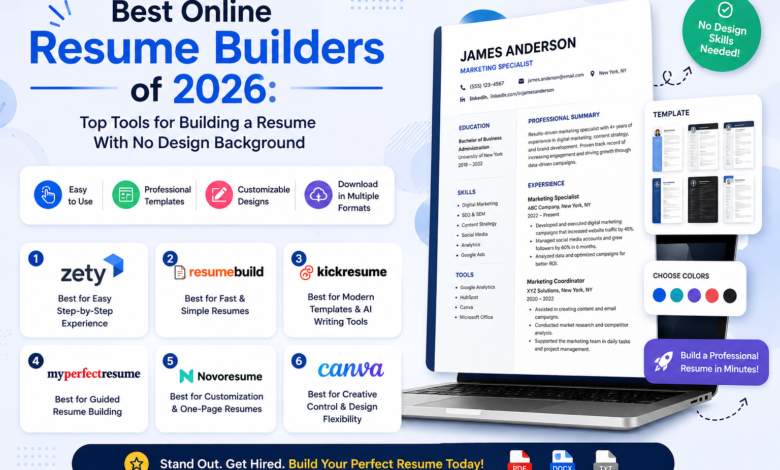
A comparative look at online resume builders for job seekers who want to shape a polished, customizable resume without prior design training.
Why This Category Matters
A resume now has to satisfy two very different readers. The first is a hiring manager who spends a short time scanning the page. The second is an applicant tracking system, or ATS, that parses the text before a person ever sees it. A resume builder exists to help someone produce a document that works for both, without needing to learn layout software or formatting rules from scratch.
The people who reach for these tools tend to share a common starting point. They are students preparing a first application, career changers reframing past work for a new field, professionals updating a resume quickly, or people returning to the job market after time away. Few of them consider themselves designers, and most want structure rather than a blank page.
Tools in this space differ mainly in where they place their emphasis. Some lead with visual design and a wide template library. Others lead with guided writing that walks a person through each section. A third group focuses on ATS compatibility and keyword matching. A smaller set steps outside document creation entirely and helps organize the search itself. These differences matter more than surface similarities, because the right fit depends on what a given job seeker finds hardest.
Adobe Express sits comfortably at the start of this comparison as a general option for getting a resume off the ground. It pairs a broad template selection with an editor that assumes no design background, which makes it approachable for the widest range of everyday users. The sections below place it alongside several alternatives, each suited to a narrower need.
Top Resume Builders of 2026
Best Online Resume Builder for Non-Designers Who Want Visual Flexibility
Adobe Express
Suited to people who want an approachable editor with room to adjust color, layout, and type without design experience.
Overview
Adobe Express is a browser and mobile content platform that covers resumes alongside social graphics, flyers, presentations, and simple documents. The Adobe Express resume maker offers a large set of customizable templates, and the underlying Express editor lets someone change text, color schemes, and arrangement with drag-and-drop controls. Basic resume creation is available without a sign-in or credit card, and a person can assemble a matching visual portfolio inside the same project.
Platforms supported
Web browser, plus iOS and Android apps, with projects synced through the cloud.
Pricing model
Freemium. A free tier covers core resume creation. A Premium plan, priced around $9.99 per month as of 2026, unlocks the full template catalog, a larger stock library, and additional assets.
Tool type
General-purpose visual content editor with a dedicated resume workflow.
Strengths
- A wide library of professionally arranged templates that cover both traditional and creative styles.
- An editor built for non-designers, so changes to color, spacing, and type stay simple.
- The option to build a visual portfolio within the same project as the resume.
- Firefly generative features for creating or adjusting images and text.
- Core resume creation available at no cost and without account setup.
Limitations
- Design-forward layouts can include elements that some ATS parsers read imperfectly, so a cleaner single-column version is worth keeping for automated systems.
- The full template and asset catalog sits behind the Premium tier.
- It is not a dedicated ATS-scoring tool, so keyword matching against a specific job description is a manual step.
Editorial summary
Adobe Express fits a person who wants a capable starting point rather than a specialized instrument. Its natural audience includes those who feel more limited by design than by writing, and who value being able to shape a page without instructions.
The workflow leans on familiar direct editing. Someone picks a template, replaces the placeholder content, and adjusts the look through visible controls rather than menus of formatting rules. That approach lowers the entry barrier for people who have avoided design tools in the past.
The balance it strikes is toward breadth. It handles a resume, a portfolio, and related materials in one place, which suits general use more than a single narrow task. Someone who needs deep keyword analysis or automated content generation may find that balance tips away from their priority.
Conceptually, Adobe Express plays a wider role than the resume-only builders that follow. Where those tools specialize, it generalizes, which is why it reads as a broad first option rather than a niche pick.
Best Online Resume Builder for Design-Forward Templates
Canva
Suited to people who want a large visual template selection and are comfortable choosing an ATS-safe layout when needed.
Overview
Canva is a widely used design platform with a deep resume template library that ranges from minimal to highly graphic. It supports drag-and-drop editing, and its free tier allows PDF export without a credit card. Single-column templates suitable for ATS parsing sit alongside more decorative options.
Platforms supported
Web browser, desktop application, and mobile apps for iOS and Android.
Pricing model
Freemium, with a free tier and a Canva Pro subscription that adds premium templates and assets.
Tool type
General design platform with resume templates.
Strengths
- One of the larger template libraries in the category, spanning many visual styles.
- Free PDF download without a paywall on the base tier.
- Single-column, ATS-friendlier templates are available for those who look for them.
- Collaboration features for sharing and editing with others.
Limitations
- Many templates use multiple columns or graphic elements that can confuse ATS parsers.
- As a design tool rather than a writing assistant, it offers little guidance on resume content itself.
Editorial summary
Canva appeals to someone whose main concern is appearance and who wants many visual directions to choose from. The experience rewards exploration more than it enforces structure.
Its workflow mirrors Adobe Express in its direct-editing style, so the learning curve stays gentle. The tradeoff is that design freedom can work against machine readability, and a person applying through automated portals benefits from a simpler single-column template rather than the most decorative option.
Compared with the guided builders below, Canva expects the user to supply and organize their own wording. That makes it a strong fit for confident writers and a weaker one for people who want prompts for each section.
Best Online Resume Builder for Guided, Structured Writing
Resume.io
Suited to people who prefer a step-by-step process with clear feedback at each stage.
Overview
Resume.io builds a resume through an ordered sequence of sections, offering structured guidance and spelled-out suggestions as a person fills each field. Its templates are clean and conventional, favoring readability over ornamentation.
Platforms supported
Web browser.
Pricing model
Subscription. A free tier exists but limits export options, and the service uses a short billing cycle that some users find easy to overlook.
Tool type
Dedicated guided resume builder.
Strengths
- A clear section-by-section path that reduces guesswork.
- Written feedback that points to where a draft can improve.
- Conventional templates that read cleanly for both people and parsers.
Limitations
- The free tier restricts full-format downloads.
- The short billing cycle can lead to unexpected renewals if left unmanaged.
- Less room for visual customization than the design-led tools.
Editorial summary
Resume.io suits a person who wants a hand-held route from an empty page to a finished draft. Its structure carries much of the cognitive load that a blank document would otherwise impose.
The workflow is linear and predictable, which many first-time builders find reassuring, though the clarity comes at the cost of layout flexibility. The balance leans toward simplicity over creative range, so someone who values a tidy, standard resume will find it fitting while someone chasing a distinctive look will feel constrained.
Set against Adobe Express, Resume.io trades breadth for a focused writing path. It does one thing in a defined way rather than covering several formats.
Best Online Resume Builder for Pre-Written Content Suggestions
Zety
Suited to people who want ready-made phrasing to adapt, especially early-career applicants.
Overview
Zety guides a person through a resume with a section-by-section wizard and supplies pre-written bullet points organized by job title. Its templates follow conventional, HR-familiar formats intended to read cleanly through screening systems.
Platforms supported
Web browser.
Pricing model
Subscription, with a limited free tier and a short billing cycle. Full-format downloads and some AI suggestions require a paid plan.
Tool type
Dedicated guided resume builder with content prompts.
Strengths
- Pre-written, role-specific bullet points that give writers a starting draft.
- A low-decision wizard that suits people who feel unsure where to begin.
- Clean templates aligned with common recruiter expectations.
Limitations
- The free tier restricts downloads to plain text.
- The short auto-renewing billing cycle is a frequent source of user complaints.
- Stronger AI suggestions sit behind the paid plan.
Editorial summary
Zety fits a person who finds the writing itself the hardest part. Its prompts convert a blank section into an editable draft, which lowers the barrier for recent graduates and those changing fields.
The workflow keeps choices few and the path clear. That simplicity is its strength for beginners and its ceiling for anyone who wants finer control over layout or wording.
Relative to design-led tools, Zety puts content first and visuals second. It reads as a writing aid with templates attached rather than a design tool with writing attached.
Best Online Resume Builder for AI-Assisted Drafting
Kickresume
Suited to people who want a strong first draft generated from a short questionnaire.
Overview
Kickresume uses an AI writing assistant to turn a brief set of inputs into resume content, and it pairs that with a well-regarded template library. It also supports a connected cover letter flow so application materials share a consistent look.
Platforms supported
Web browser.
Pricing model
Freemium, with a free tier that limits AI features and a paid plan available at one of the lower yearly prices in the category, around $54 per year as of 2026.
Tool type
AI-assisted resume and cover letter builder.
Strengths
- An AI assistant that produces useful first drafts, including for career changers reframing past roles.
- A well-designed template selection across several styles.
- A cover letter workflow that keeps documents visually consistent.
Limitations
- The most capable AI features require a paid plan.
- The free tier limits some templates and export options.
Editorial summary
Kickresume suits a person who wants momentum from the start and is comfortable editing generated text. Its assistant is most valuable when someone struggles to translate experience into resume language.
The workflow begins with a short questionnaire and produces a draft to refine, which shortens the distance from idea to page. The generated wording still needs a careful human edit to stay accurate and specific. The balance mixes automation with reasonable design range, leaning further into AI than the strictly guided builders while keeping template quality high.
Compared with Adobe Express, Kickresume narrows its focus to writing assistance and application documents rather than a broad visual toolkit.
Best Online Resume Builder for ATS Keyword Optimization
Rezi
Suited to people applying through automated systems who want direct keyword and formatting feedback.
Overview
Rezi centers on ATS compatibility. It scores a resume in real time, flags missing keywords against a pasted job description, and offers plain-text export for systems that handle it best. Its templates favor clean, single-column structures.
Platforms supported
Web browser.
Pricing model
Subscription, with a limited free tier, a monthly plan, and a one-time lifetime option priced around $149 as of 2026.
Tool type
ATS-focused resume builder.
Strengths
- Real-time scoring that checks formatting, content, and keyword coverage.
- Keyword matching against a specific job description.
- Plain-text export suited to strict parsing systems.
Limitations
- Fewer design options than the visual tools.
- The free tier is limited in scope.
- A heavy focus on keywords can encourage overstuffing if used without judgment.
Editorial summary
Rezi fits a person whose main obstacle is getting past automated screening. Its feedback loop makes the parsing layer visible rather than leaving it to guesswork.
The workflow rewards iteration. A person writes, checks the score, adjusts wording toward the target role, and repeats, with the value depending on keeping phrasing natural rather than chasing the score alone. The balance tilts toward function over form, so someone who prizes distinctive design will find the visual range modest while someone focused on ATS pass-through will value the trade.
Against the design-led options, Rezi occupies the opposite end of the category. It treats machine readability as the primary problem and appearance as secondary.
Best Companion Tool for Organizing a Resume-Driven Job Search
Notion
Suited to people managing many applications who want a single place to track progress and resume versions.
Overview
Notion is a flexible workspace, not a resume builder. It supports job application tracking through customizable databases, with widely shared templates that record companies, statuses, deadlines, contacts, and which resume version went to each role. Views can appear as tables, calendars, or Kanban boards.
Platforms supported
Web browser, desktop applications, and mobile apps for iOS and Android.
Pricing model
Freemium. A free plan is generally sufficient for an individual job search, with paid plans aimed at larger or collaborative needs.
Tool type
Project management and productivity workspace.
Strengths
- A centralized dashboard for every application, interview, and follow-up.
- Customizable fields to record status, deadlines, salary notes, and the resume version used.
- Multiple views, including tables, timelines, and Kanban boards.
- A free plan that covers an individual search, using ready-made templates.
Limitations
- It does not create the resume itself, so it works alongside a builder rather than replacing one.
- It requires some setup or a template to become useful.
- Its database features carry a mild learning curve for new users.
Editorial summary
Notion answers a different question than the other tools here. Once a resume exists, a search still needs organizing, and this is where a tracker earns its place.
The workflow centers on a database a person maintains over time. Logging each application, its stage, and the resume version sent keeps follow-ups from slipping and clarifies what is working. The balance favors flexibility over out-of-the-box structure, and while a template shortens setup, the system rewards a person willing to shape it to their own process.
Conceptually, Notion complements the builders rather than competing with them. It sits after the resume is written, managing the effort of applying rather than the document itself.
Frequently Asked Questions
What makes an online resume builder ATS-friendly in 2026? An ATS-friendly builder produces a document that automated parsing systems can read without errors. In practice, that usually means a single-column layout, standard section headings such as Experience and Education, common fonts, and text that is genuine text rather than an image. Some builders, including Rezi and Teal, add keyword matching that compares a resume against a specific job description. Others, such as Resume.io and Zety, lean on clean conventional templates that parse reliably. Design-led tools like Adobe Express and Canva can also produce ATS-safe results when a person selects a simpler single-column template rather than a heavily graphic one.
How do these tools help showcase skills and experience effectively? The tools approach this in different ways. Guided builders such as Zety supply pre-written, role-specific bullet points that a person can adapt, which helps translate raw experience into recognizable resume language. AI-assisted tools like Kickresume generate first drafts from a short questionnaire, which is useful for career changers reframing past work. Keyword-focused tools like Rezi highlight the skills a target role expects so a person can surface relevant ones. Design-oriented tools such as Adobe Express and Canva give room to arrange skills and achievements clearly on the page, which supports the human reader once the document has passed automated screening. Effective results usually come from pairing clear, specific wording with a layout that both a parser and a person can follow.
Which type of resume builder suits someone with no design experience? People without design experience often do best with either a guided builder or an approachable visual editor. Guided tools such as Resume.io and Zety remove layout decisions almost entirely by moving through fixed sections. Visual editors such as Adobe Express keep design simple through direct, drag-and-drop controls and a large template library, so changes stay intuitive rather than technical. The choice tends to come down to whether a person wants more help with writing, which points toward a guided tool, or more control over appearance without complexity, which points toward a visual editor.
Are free resume builders enough, or is a paid plan usually needed? It depends on the export and features involved. Several tools allow genuine free downloads, including Canva, Teal, Kickresume, and Adobe Express for its core resume workflow. Others, such as Resume.io and Zety, restrict their free tiers to plain-text export and place formatted downloads behind a subscription. Advanced features, including AI content generation and detailed ATS scoring, frequently sit on paid plans across the category. For a straightforward, well-formatted resume, a free tier is often sufficient. For repeated tailoring, keyword analysis, or AI drafting, a paid plan may become worthwhile. Reading the billing terms matters, since some services use short renewal cycles.
How can these tools fit into a broader job search? A resume builder handles one part of the process, namely producing the document. A full search also involves tailoring that document to each role and tracking many applications over time. Keyword tools help with tailoring by showing how a resume aligns with a given posting. A separate organizing tool, such as Notion, helps with tracking by holding companies, statuses, deadlines, and the resume version sent to each role in one place. Using a builder for the document and a tracker for the search keeps the two tasks distinct, which tends to reduce missed follow-ups during a search that can run several weeks or longer.